
Make Your Own Social Media Calendar—Without Fancy Software
Creating a social media calendar helps organize posts and maintain a steady presence online. It does not require expensive software. This article explains how to build an effective calendar using simple tools.
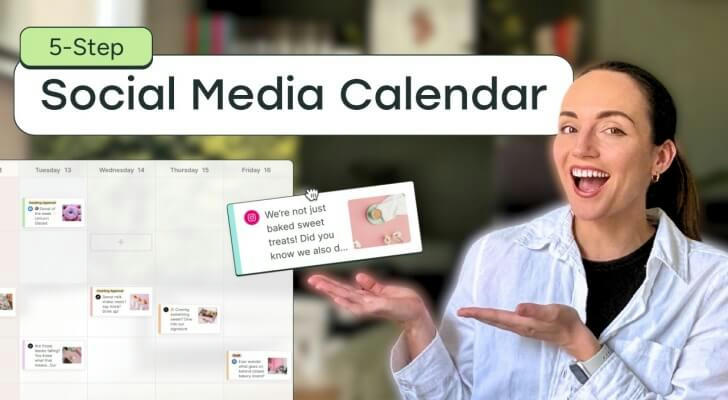
📅 Why Use a Social Media Calendar?
Helps maintain regular posting and avoid missing updates.
Creates time to prepare thoughtful content, reducing last-minute rush.
Encourages varied content to keep the audience interested.
A 2024 Social Media Examiner report reveals 65% of marketers who schedule posts ahead experience improved engagement.
| Planning Frequency | Engagement Increase (%) |
|---|---|
| Weekly | 10 |
| Monthly | 25 |
| No Planning | 0 |
✨ Insight: Consistent planning is linked to higher audience interaction.
🛠️ Pick Simple Tools for Your Calendar
Use spreadsheets like Excel or Google Sheets. They offer flexibility and are easy to update.
Set up columns for dates, content topics, platforms, and deadlines.
Apply colors to mark content types or priority levels.
Example: A small retailer used a spreadsheet calendar and cut missed posts by 40% within three months.
🗂️ Steps to Build Your Social Media Calendar
List important dates such as holidays or events.
Generate content ideas related to those dates.
Assign posting dates evenly to avoid clustering.
Choose the best platform for each post (e.g., Instagram, Twitter).
Include deadlines for content creation and review.
Periodically assess and adjust based on audience response.
Example: A community group planned posts around national awareness days, spacing content and deadlines clearly.
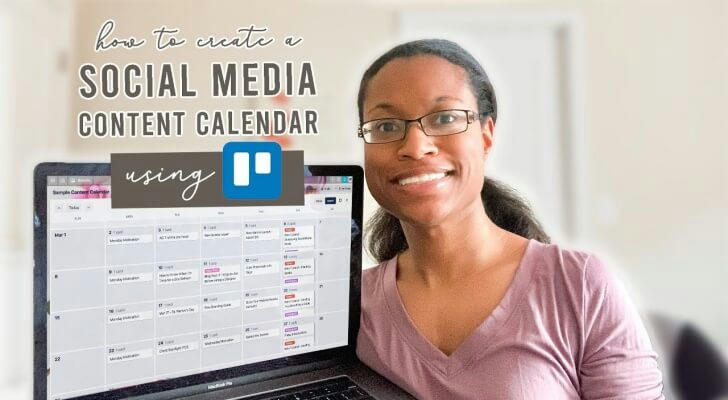
🔄 Keep Your Calendar Flexible
Social media trends and news can require quick changes.
Leave open slots for spontaneous posts.
Use notes to jot down fresh ideas between planning sessions.
HubSpot research shows calendars with flexibility score nearly double on adaptability compared to rigid ones.
| Calendar Type | Adaptability Score (out of 10) |
|---|---|
| Rigid | 4 |
| Flexible | 8 |
💡 Flexibility helps balance planning with real-time relevance.
🎨 Mix Up Your Content Types
Use a variety of formats: photos, videos, text, polls, and stories.
Match content style to platform strengths.
Schedule recurring posts like “Tip Tuesday” to build audience expectation.
Case study: A blogger increased engagement by 15% after adding weekly video tips in their calendar.
📊 Track Performance to Improve Over Time
Record post dates and types clearly.
Add columns to note likes, shares, comments, and clicks.
Create charts to visualize trends and spot what works best.
Pew Research Center 2023 stresses data-driven scheduling leads to better results.
| Metric | Importance Level (1-5) |
|---|---|
| Likes | 3 |
| Shares | 5 |
| Comments | 4 |
| Click-throughs | 5 |

🔍 Tracking reveals which content connects most with the audience.
🧩 Case Study: Sara’s Simple Social Media Calendar
Sara, a freelance artist, used Google Sheets to organize posts across three platforms.
Her method included:
Listing monthly goals (exhibitions, product launches).
Creating weekly themes (art tips, studio life).
Posting 2-3 times per week regularly.
After six months, she saw greater consistency and improved engagement.
💡 Tips for Staying Consistent Without Stress
Batch-create content to save time.
Set calendar reminders for posting and reviews.
Update the calendar monthly to incorporate new ideas or changes.
Keep the system simple for easy maintenance.
😊 Gradual habit-building leads to steady results.
🔍 Summary: Simple Tools, Strong Results
A social media calendar built with spreadsheets can organize posting effectively.
Planning key dates, diversifying content, and tracking performance improve audience connection.
📈 Clear planning and adaptability help maintain steady engagement—no need for fancy software.