
Small Business Starter Kit: 7 Tools You’ll Actually Use
🧰 Small Business Starter Kit: 7 Tools You’ll Actually Use
Starting a small business in the U.S. comes with many choices—especially when it comes to tools. The market is saturated with software claiming to “streamline,” “automate,” and “optimize.” But what do real businesses actually use—day in and day out?
📌 This article explores seven tool categories that early-stage small businesses across industries consistently rely on. Backed by use cases, surveys, and practical evidence, these tools form the core of a functional business toolkit.
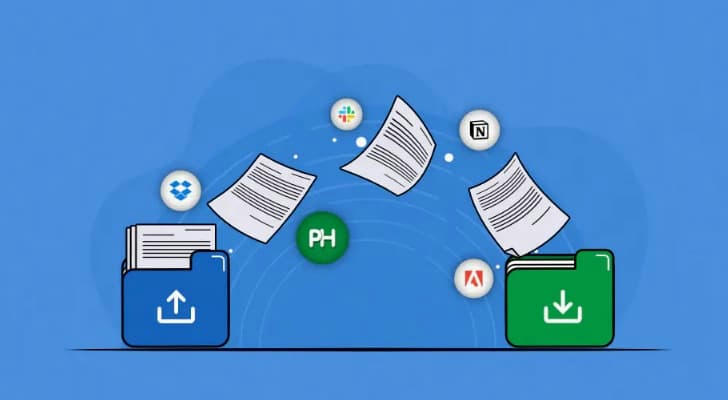
1️⃣ Document Creation & Cloud Collaboration
Even solo entrepreneurs deal with contracts, proposals, manuals, and marketing assets. Without IT infrastructure, many turn to cloud-based document platforms.
🧾 Case example: A 2022 report by G2 found that 83% of U.S.-based small teams use Google Workspace for document collaboration due to its ease of sharing, real-time editing, and integration with Gmail.
📌 Useful features:
• Multi-user live editing
• Cloud-based version history
• Mobile editing capabilities
• PDF export and e-signatures (often via integrations)
✅ Third-party validation: Capterra lists Google Docs and Microsoft 365 as top-rated among SMBs, particularly those with remote or hybrid structures.
2️⃣ Financial Tracking & Bookkeeping
💵 Managing finances is non-negotiable—even for sole proprietors. The 2023 Small Business Accounting Report by Xero revealed that 60% of small business owners in the U.S. manage their books themselves, and 82% use a digital tool.
📊 Essential functions:
• Automated expense categorization
• Invoice generation and tracking
• Bank account syncing
• Tax document exports (e.g., 1099, Schedule C)
🧾 Example: A freelance web developer in Denver uses a bookkeeping tool to auto-categorize Stripe payouts, track contractor payments, and prepare quarterly estimated taxes—all without hiring a CPA.
⚠️ Why it matters: IRS audits or back taxes can hit small businesses hard. Digital recordkeeping makes tax prep faster—and safer.
3️⃣ Project & Task Management Platforms
Whether you’re launching an online shop or building decks for local clients, projects must be broken down into tasks, deadlines, and deliverables.
🗂️ Real-world usage: According to TechRepublic (2023), over 70% of small business teams use visual tools like Trello or Asana to manage daily work, even when they consist of just 2–5 people.
🛠 Features to prioritize:
• Drag-and-drop Kanban boards
• Gantt chart or calendar view
• Task assignments with reminders
• Checklists and dependencies
📍Micro-case: A small marketing agency in Austin tracks client campaigns using Asana, assigning design, copywriting, and publishing tasks with due dates and visibility across departments.
4️⃣ Customer Relationship Management (CRM)
🧑💼 Early customers are gold. But without a structured system, it’s easy to forget follow-ups or miss opportunities.
🔍 Industry data: Nimble’s CRM Trends Report shows that small businesses using a CRM are 35% more likely to retain repeat clients than those using spreadsheets or manual tracking.
✔️ Useful CRM functions:
• Contact database with notes and tags
• Lead pipeline visualization
• Follow-up reminders
• Integration with email/SMS tools
📌 Use case: A home-cleaning service in Seattle uses a lightweight CRM to log every quote, schedule post-job check-ins, and tag high-value customers for seasonal offers.
⚠️ Don’t wait: Even with only 20–30 customers, managing interactions manually can cause costly gaps.

5️⃣ Design & Brand Identity Tools
Visual communication builds trust—especially when you’re just starting out. Logos, signage, social media graphics, and branded emails all influence perception.
🎨 Market data: Canva reported that as of 2024, over 16 million small business users in the U.S. had created logos, flyers, and business cards using their platform, highlighting demand for simple, no-code design tools.
🖼 Key capabilities:
• Brand kit setup (colors, fonts, logo)
• Drag-and-drop templates
• Resizing for multiple platforms
• Social post scheduling (some tools)
📍Example: A local florist in Minneapolis creates weekly Instagram posts and in-store posters using drag-and-drop templates—with no design background.
✅ Visual consistency, even at a basic level, can make a business appear more credible and professional.
6️⃣ Scheduling & Calendar Coordination
For service-based businesses—coaching, salons, auto detailing—bookings are the business.
📅 Key stats: Acuity Scheduling reports that small businesses using online scheduling reduce no-show rates by up to 40% and save an average of 5–8 hours per week on coordination.
🎯 Look for:
• Self-service customer booking
• Real-time calendar sync
• Automated SMS/email reminders
• Custom time slots and buffer times
🧠 Use case: A mobile dog groomer in Phoenix uses an online scheduling tool to let pet owners select open time slots, reducing phone calls and eliminating double bookings.
⚠️ Manual booking = high friction. A smooth calendar experience boosts conversion and satisfaction.
7️⃣ Team Communication & Collaboration Platforms
Even with just two people, structured communication beats scattered texts.
💬 Adoption trend: According to Slack’s 2023 SMB Survey, 65% of small businesses with under 10 employees still prefer Slack or similar platforms over email for internal discussions, especially when remote work is involved.
🧩 Useful functions:
• Channels for topics or clients
• File uploads and comment threads
• Notifications linked to task tools
• Built-in video calls or integrations
📍Mini-case: A boutique design studio in Portland uses Slack to coordinate deliverables, share file drafts, and loop in freelancers as needed—keeping everything organized without overwhelming inboxes.

🧭 How to Choose the Right Tool—Without Overbuying
Not all tools are necessary on Day 1. Instead, apply these evaluation filters:
✔️ Does it solve a concrete, current pain point?
✔️ Can it scale with your operations over 1–3 years?
✔️ Is it easy to adopt without tech support?
✔️ Does it integrate with your existing systems?
❗Important reminder: Over-tooling can be just as harmful as under-preparing. Choose only what improves workflow now.
📎 Conclusion: Tools as Infrastructure, Not Distractions
A good toolset isn’t about having “everything”—it’s about building an operational backbone.
📌 These 7 categories reflect what most American small businesses, across industries, adopt early—not as a trend, but as necessity.
Start lean. Build structure. Optimize only once you understand the workflow.